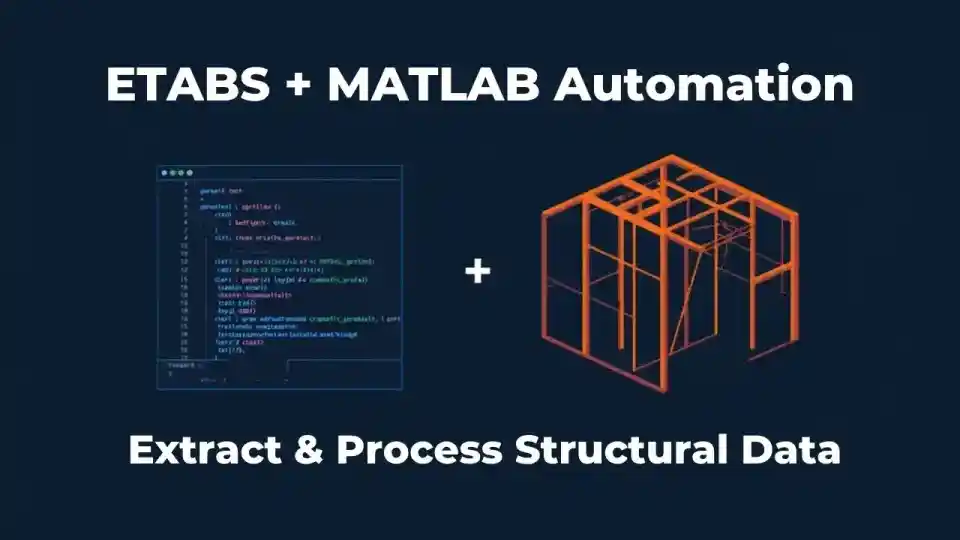
How to Extract & Process ETABS Output Data Using MATLAB
How to Extract and Process ETABS Output Data Using MATLAB: A Complete Technical Guide
If you spend hours copying ETABS results into spreadsheets, manually checking story drift ratios against code limits, or building demand/capacity tables by hand—this guide will fundamentally change your workflow. MATLAB’s matrix engine, combined with ETABS’s OAPI, creates a post-processing pipeline that is fast, repeatable, and fully traceable.
This is an engineering-grade technical walkthrough for structural engineers targeting ETABS v17, v19, v20, and v21—covering member forces, story drifts, modal participation, force envelopes, and full report automation.
01 — Why Automate ETABS Post-Processing?
A typical mid-rise building model in ETABS generates tens of thousands of data points per load combination—beam and column forces, joint displacements, story drifts, base reactions, and mode shapes. For a 15-storey RC frame with 8 load combinations and 200 frame elements, that is over 200,000 data cells for frame forces alone. Manual review is not engineering—it is data entry.
Automation enables:
- Automated story drift ratio calculation and ASCE 7 / IS 1893 compliance flagging per story
- Beam and column demand-capacity ratio (DCR) computation across all load combinations
- Modal mass participation summation and verification (≥90% per ASCE 7-22 §12.9.1)
- Force envelope diagrams (shear, moment, axial) per member across all combinations
- Automated report table generation exportable to Excel, PDF, or LaTeX
- Parametric studies—run ETABS model variants and compare results programmatically
02 — ETABS Output Data Types & Where They Live
Before writing a single line of MATLAB, understand the data architecture inside ETABS. Every result lives in a specific object type accessed by a specific OAPI function—or in a specific table if you export. The table below maps output categories to their OAPI calls and typical data volumes.
| Output Category | ETABS Object | Key OAPI Call | Typical Rows (15-storey) | Export Table Name |
|---|---|---|---|---|
| Frame element forces | FrameObj | Results.FrameForce | 50,000–200,000 | Element Forces - Frames |
| Story drift & displacement | Results.Setup | Results.StoryDrifts | 500–2,000 | Story Drifts |
| Joint displacements | PointObj | Results.JointDispl | 20,000–80,000 | Joint Displacements |
| Modal periods & frequencies | Results.Modal | Results.ModalPeriod | 50–200 modes | Modal Periods and Frequencies |
| Modal participation mass | Results.Modal | Results.ModalParticipMassRatios | 50–200 modes | Modal Participating Mass Ratios |
| Base reactions | Results.BaseReact | Results.BaseReact | 10–50 | Base Reactions |
| Shell / slab stresses | AreaObj | Results.AreaStress | 100,000+ | Element Stresses - Area Elements |
| Nonlinear hinge results | FrameObj | Results.NonlinearHinge | Variable | Nonlinear Hinge Results |
Frame Forces — Understanding the Data Structure
ETABS stores frame element forces at multiple output stations along the element length. For a typical beam with 5 output stations, each load combination generates 5 rows × 6 force components (P, V2, V3, T, M2, M3). This is the core dataset for beam and column design checking. The OAPI returns these as flat arrays indexed by result number, load case name, and station location.
Story Drift — The Compliance-Critical Dataset
Story drifts in ETABS are reported as the relative lateral displacement between adjacent floors divided by the story height. MATLAB’s comparison operators make limit-checking trivial, but you must correctly identify amplified vs unamplified drift before applying code limits. ETABS’s Results.StoryDrifts returns elastic drifts from linear analysis—not automatically amplified.
where: δxe = elastic displacement from ETABS linear analysis; Cd = deflection amplification factor (e.g. 5.5 for Special RC Moment Frame); Ie = seismic importance factor; Δa = allowable story drift ≈ 0.020 hsx for Risk Category II structures.
Modal Results — Participation Mass & Period Verification
Extracting modal data in MATLAB allows programmatic verification that at least 90% cumulative modal mass participation is achieved in each principal direction, as required by ASCE 7-22 §12.9.1. This check is mandatory for response spectrum analysis and is easily missed during manual review of large mode tables.
03 — 3 Methods to Extract ETABS Data Into MATLAB
🔌 OAPI (COM Automation)
- Live connection to running ETABS
- Full read/write access to model
- No intermediate files needed
- Best for parametric workflows
- Requires ETABS open on same machine
- MATLAB 2014b+ with
actxserver
📁 File-Based (Excel / CSV)
- Works offline, no live ETABS needed
- Pre-exported .xlsx or .csv tables
- Simpler setup, great for batch jobs
- Must re-export on model changes
- MATLAB
readtable/xlsread - Best for report automation
| Criterion | OAPI (COM) | Excel / Access DB | CSV / Text Tables |
|---|---|---|---|
| Setup complexity | Medium | Low | Very Low |
| Live data access | Yes | No | No |
| Write back to model | Yes | No | No |
| Large models (>50k elements) | Good (batch call) | Slow | Good |
| Version compatibility | Version-specific ProgID | Universal | Universal |
| Recommended for | Automation, parametric design | Post-processing, reporting | Simple checks, batch |
Method 1: OAPI via COM Automation (Recommended)
CSI provides the ETABS Open API as a COM-based interface registered in Windows. MATLAB’s actxGetRunningServer function instantiates the COM server and returns a live object handle to the running ETABS application. This is the most powerful integration method and the primary focus of this guide. It enables real-time extraction and even writing parameters back to the model.
'CSI.ETABS.API.ETABSObject' for v17 and later. For v15–v16, the ProgID was 'CSI.ETABS.API.ETABSv1'. Always use 64-bit MATLAB when connecting to ETABS 64-bit (all versions after 2013). Check the CSI API documentation for your specific installed version.Method 2: Excel Database Export
From ETABS: File → Export → Save as Microsoft Excel Workbook (.xlsx). This creates a multi-sheet workbook with named tables matching ETABS’s internal table structure. MATLAB reads these with readtable() specifying the sheet name. The key advantage is that ETABS does not need to be installed on the post-processing machine—ideal for office environments where a single licensed machine runs ETABS and another runs MATLAB batch scripts.
Method 3: CSV / Text Table Export
ETABS’s Display → Show Tables window lets you export any result table as a .csv file. Story drifts, base reactions, and modal results export cleanly this way. Read them in MATLAB with readmatrix(), readtable(), or textscan(). This is the fastest method for one-off checks and requires no additional scripting to connect to ETABS.
04 — MATLAB Setup: Connecting to ETABS via OAPI
The first step is establishing the COM connection from MATLAB to an already-open ETABS session. ETABS must be running with a model loaded and analyzed before executing the connection code. The SapModel interface is the main entry point for all sub-interfaces.
MATLAB% ============================================================
% ETABS-MATLAB OAPI Connection Setup
% Compatible: ETABS v17, v19, v20, v21
% Requires: 64-bit MATLAB + 64-bit ETABS on Windows
% ============================================================

% Step 1: Get handle to running ETABS via COM
try
    etabs = actxGetRunningServer('CSI.ETABS.API.ETABSObject');
    fprintf('[OK] Connected to ETABSn');
catch
    error('ETABS not running or COM unavailable. Open ETABS first.');
end

% Step 2: Get SapModel interface (main API entry point)
SapModel = etabs.SapModel;

% Step 3: Verify — get model filename
modelPath = SapModel.GetModelFilename;
fprintf('[OK] Model: %sn', modelPath);

% Step 4: Access sub-interfaces
FrameObj  = SapModel.FrameObj;    % Frame geometry & section access
Results   = SapModel.Results;     % All analysis results
Analyze   = SapModel.Analyze;     % Trigger analysis from MATLAB
PropFrame = SapModel.PropFrame;   % Section property queries

% Step 5: Configure result setup — select which cases to retrieve
ResultSetup = Results.Setup;
ResultSetup.SetCaseSelectedForOutput('DEAD', true);
ResultSetup.SetCaseSelectedForOutput('LIVE', true);
ResultSetup.SetCaseSelectedForOutput('EQX',  true);
ResultSetup.SetCaseSelectedForOutput('EQY',  true);
ResultSetup.SetComboSelectedForOutput('COMB1', true);
ResultSetup.SetComboSelectedForOutput('COMB2', true);

fprintf('[OK] Results setup configuredn');
'CSI.ETABS.API.ETABSObject'. If connection fails, open Windows Registry Editor, navigate to HKEY_CLASSES_ROOT, and search for CSI.ETABS to find the exact registered ProgID for your installed version.05 — Extracting Frame Member Forces in MATLAB
Frame element forces are the most critical dataset for RC and steel design checks. The OAPI returns them as flat arrays where each index corresponds to one output station on one frame element for one load case. MATLAB’s vectorized operations handle this efficiently once you structure the data as a table.
MATLAB% ============================================================
% Extract all frame forces — all elements, all selected cases
% ============================================================

% Get list of all frame element names
[ret, numFrames, frameNames] = FrameObj.GetNameList;
fprintf('Total frame elements: %dn', numFrames);

% Initialize storage struct
forceData = struct('Name',{}, 'LoadCase',{}, 'Station',{}, ...
                   'P',{}, 'V2',{}, 'V3',{}, 'T',{}, 'M2',{}, 'M3',{});
idx = 1;

for i = 1:numFrames
    fname = frameNames{i};
    [ret, numRes, ~, loadCases, ~, ~, P, V2, V3, T, M2, M3, Station, ~] = ...
        Results.FrameForce(fname, 0);   % 0 = object-based query

    if ret ~= 0; continue; end

    for j = 1:numRes
        forceData(idx).Name     = fname;
        forceData(idx).LoadCase = loadCases{j};
        forceData(idx).Station  = Station(j);
        forceData(idx).P  = P(j);  forceData(idx).V2 = V2(j);
        forceData(idx).V3 = V3(j); forceData(idx).T  = T(j);
        forceData(idx).M2 = M2(j); forceData(idx).M3 = M3(j);
        idx = idx + 1;
    end
end

fprintf('Extracted %d force recordsn', length(forceData));

% Convert to table for easy filtering & grouping
forceTable = struct2table(forceData);

% Filter to COMB1 only
comb1 = forceTable(strcmp(forceTable.LoadCase, 'COMB1'), :);

% Find maximum |M3| (strong-axis moment) across all stations
[maxM3, imax] = max(abs(comb1.M3));
fprintf('Max |M3| under COMB1 = %.2f kN-mn  Element: %s, Station: %.3f mn', ...
        maxM3, comb1.Name{imax}, comb1.Station(imax));

% Export to Excel
writetable(forceTable, 'FrameForces_All.xlsx');
Results.FrameForce('', 1) where the second argument 1 selects a group (All). This returns all results in a single COM round-trip, cutting extraction time from several minutes to under 10 seconds.06 — Processing Story Drifts & ASCE 7 Compliance Checking
Story drift extraction and compliance flagging is one of the highest-value automation tasks. The OAPI’s Results.StoryDrifts returns unamplified elastic drifts for linear analysis. You must apply Cd/Ie before comparing to ASCE 7 allowable limits. The script below does both extraction and flagging in one pass.
MATLAB% ============================================================
% Story Drift Extraction + ASCE 7-22 Compliance Check
% ============================================================

[ret, numDrifts, storyNames, loadCases, ~, ~, ...
 driftX, driftY, ~, ~, ~, ~, ~, ~] = Results.StoryDrifts;

if ret ~= 0; error('StoryDrifts failed — check results setup'); end

% Build table
T = table(storyNames', loadCases', driftX', driftY', ...
    'VariableNames', {'Story','LoadCase','DriftX','DriftY'});

% ASCE 7-22 §12.8.6: amplify elastic drifts
Cd = 5.5;   % Special RC Moment Frame
Ie = 1.0;   % Risk Category II
Delta_a = 0.020;  % Table 12.12-1, Risk Cat II

T.AmpDriftX = Cd .* T.DriftX ./ Ie;
T.AmpDriftY = Cd .* T.DriftY ./ Ie;
T.FailX = T.AmpDriftX > Delta_a;
T.FailY = T.AmpDriftY > Delta_a;

% Print compliance report
fprintf('n=== STORY DRIFT COMPLIANCE (ASCE 7-22) ===n');
fprintf('Cd=%.1f  Ie=%.1f  Allowable=%.3fn', Cd, Ie, Delta_a);
fprintf('X violations: %d/%d storiesn', sum(T.FailX), height(T));
fprintf('Y violations: %d/%d storiesn', sum(T.FailY), height(T));

if any(T.FailX)
    disp('[FAIL] X-Direction violating stories:');
    disp(T(T.FailX, {'Story','LoadCase','AmpDriftX'}));
else
    fprintf('[PASS] All X-direction drifts within limitn');
end

writetable(T, 'StoryDrift_Report.xlsx');
07 — Modal Analysis Data Extraction
For Response Spectrum Analysis under ASCE 7-22 §12.9 or equivalent codes, you must demonstrate ≥90% cumulative modal participating mass ratio in each principal direction. MATLAB makes this a two-line check once the data is extracted.
MATLAB% ============================================================
% Modal Mass Participation — ASCE 7-22 §12.9.1 Check
% ============================================================

[ret, numModes, ~, ~, ~, period, ux, uy, uz, ...
 sumUx, sumUy, sumUz, rx, ry, rz, ~, ~, ~] = Results.ModalParticipMassRatios;

if ret ~= 0; error('Modal results unavailable — run modal analysis first'); end

% Build modal table (multiply by 100 for percentage)
Tm = table((1:numModes)', period', ux'*100, uy'*100, sumUx'*100, sumUy'*100, ...
    'VariableNames', {'Mode','T_sec','Ux_pct','Uy_pct','CumUx','CumUy'});

% Find first mode reaching 90% threshold
n90x = find(Tm.CumUx >= 90, 1);
n90y = find(Tm.CumUy >= 90, 1);

fprintf('90%% UX mass at Mode %d (T = %.3f s, Cum = %.1f%%)n', ...
        n90x, Tm.T_sec(n90x), Tm.CumUx(n90x));
fprintf('90%% UY mass at Mode %d (T = %.3f s, Cum = %.1f%%)n', ...
        n90y, Tm.T_sec(n90y), Tm.CumUy(n90y));

if ~isempty(n90x) && ~isempty(n90y)
    fprintf('[PASS] 90%% mass participation achieved in both directionsn');
else
    fprintf('[FAIL] Increase number of modes in ETABS modal load casen');
end

disp(Tm(1:min(12,numModes),:));
writetable(Tm, 'Modal_Participation.xlsx');
08 — Building Force Envelopes & Load Combination Processing
A force envelope extracts the maximum and minimum of each force component at every station across all design load combinations. This is the direct input for RC section design. MATLAB’s table grouping functions make this elegant and fast.
MATLAB% ============================================================
% Force Envelope: Max/Min across design combinations
% Input: forceTable from Section 05
% ============================================================

designCombos = {'COMB1','COMB2','COMB3','COMB4','COMB5'};
df = forceTable(ismember(forceTable.LoadCase, designCombos), :);
elements = unique(df.Name);

envelope = table();
for i = 1:numel(elements)
    e = df(strcmp(df.Name, elements{i}), :);
    row = table();
    row.Element = elements(i);
    row.MaxM3 = max(e.M3);  row.MinM3 = min(e.M3);
    row.MaxV2 = max(e.V2);  row.MinV2 = min(e.V2);
    row.MaxP  = max(e.P);   row.MinP  = min(e.P);
    envelope = [envelope; row]; %#ok<AGROW>
end

fprintf('Envelope computed for %d elementsn', height(envelope));
writetable(envelope, 'ForceEnvelope.xlsx');
disp(head(envelope, 8));
09 — MATLAB Visualizations: Force Diagrams & Drift Plots
MATLAB’s plotting tools transform raw ETABS data into publication-quality engineering diagrams. The story drift profile is the most common output for seismic compliance reporting.
MATLAB% ============================================================
% Story Drift Profile Plot — Publication Quality
% ============================================================
figure('Color','white','Units','inches','Position',[1 1 7 5]);

eqx = T(strcmp(T.LoadCase,'EQX'),:);
stories = (1:height(eqx))';

plot(eqx.AmpDriftX*100, stories, 'b-o', ...
     'LineWidth',2, 'MarkerFaceColor','blue', 'MarkerSize',7);
hold on;
xline(2.0,'r--','LineWidth',1.5,'Label','Delta_a=2.0% (ASCE 7)');

% Highlight exceedances in red
fail = eqx.AmpDriftX*100 > 2.0;
plot(eqx.AmpDriftX(fail)*100, stories(fail), 'ro', ...
     'MarkerFaceColor','red', 'MarkerSize',10);

xlabel('Amplified Story Drift Ratio (%)','FontSize',11);
ylabel('Story','FontSize',11);
title('Story Drift Profile — EQX','FontSize',12,'FontWeight','bold');
set(gca,'YTick',stories,'YTickLabel',eqx.Story,'FontSize',10);
grid on; box off;
legend({'X-Drift','ASCE 7 Limit','Exceeds Limit'},'Location','southeast');
exportgraphics(gcf,'StoryDrift_EQX.pdf','ContentType','vector');
10 — Complete End-to-End Automation Workflow
Open ETABS & Run Analysis
Load your .edb file, run all load cases and combinations. Verify the analysis log shows zero errors before connecting MATLAB.
Connect MATLAB via OAPI
Run etabs = actxGetRunningServer('CSI.ETABS.API.ETABSObject') and confirm the model path is returned correctly.
Configure Results Setup
Use Results.Setup to select only the cases and combinations needed. This reduces extraction time dramatically for large models.
Extract Frame Forces, Story Drifts & Modal Data
Run the extraction scripts from Sections 05–07. Typical time: 5–30 seconds for medium-sized models (100–500 elements).
Process & Compliance-Check
Compute force envelopes, DCRs, amplified drift ratios, and modal mass sums. Flag non-compliant elements and stories automatically.
Export Reports & Plots
Write to Excel using writetable, export figures as vector PDF via exportgraphics. Archive the MATLAB script with the model for full traceability.
MATLAB — Master Script% ============================================================
% ETABS Post-Processing Master Script
% Run AFTER model analysis is complete in ETABS
% ============================================================
clear; clc;

% 1. Connect
etabs    = actxGetRunningServer('CSI.ETABS.API.ETABSObject');
SapModel = etabs.SapModel;
Results  = SapModel.Results;

% 2. Setup result cases
RS = Results.Setup;
for combo = {'1.2DL+1.6LL', '1.2DL+1.0EQX+1.0LL', '0.9DL+1.0EQX'}
    RS.SetComboSelectedForOutput(combo{1}, true);
end

% 3. Extract (call functions from Sections 05–07)
forceTable = extractFrameForces(SapModel);
driftTable = extractStoryDrifts(Results);
modalTable = extractModalData(Results);

% 4. Compliance checks
driftTable = checkAsce7Drift(driftTable, 5.5, 1.0, 0.020);
modalTable = checkModalMass(modalTable, 90);

% 5. Export all to single workbook
writetable(forceTable, 'PostProcess.xlsx', 'Sheet', 'Forces');
writetable(driftTable, 'PostProcess.xlsx', 'Sheet', 'Drifts');
writetable(modalTable, 'PostProcess.xlsx', 'Sheet', 'Modal');
fprintf('[DONE] See PostProcess.xlsxn');
11 — Tips, Tricks & Common Errors
| Error / Symptom | Root Cause | Solution |
|---|---|---|
actxGetRunningServer throws error | ETABS not open, or ProgID mismatch | Open ETABS first; check COM ProgID in Windows Registry for your version |
ret = 1 (failure code) | Analysis not run, or case not selected | Run analysis in ETABS; call SetCaseSelectedForOutput before extracting |
| All force values = 0 | Results.Setup not configured | Call SetCaseSelectedForOutput(caseName, true) for each case needed |
| Result count mismatch | Multiple output station settings | Use Results.Setup.SetOutputStations(0, 5, false) to fix station count |
| MATLAB hangs in loop | COM overhead for large models | Use group-based call: Results.FrameForce('', 1) instead of per-element loop |
| Drift values too small | Unamplified elastic drift returned | Apply Cd/Ie amplification manually per ASCE 7-22 §12.8.6 |
| Missing section data | Wrong PropFrame sub-call | Use PropFrame.GetRectangle, GetCircle, or GetSectProp per section type |
| MATLAB Function | Use Case | Example |
|---|---|---|
groupsummary() | Max/min forces per element | groupsummary(T,'Name','max',{'M3','V2'}) |
ismember() | Filter by load case name | T(ismember(T.LC, combos),:) |
writetable() | Export results to Excel | writetable(T,'out.xlsx','Sheet','Drifts') |
xline() | Add code limit lines to plots | xline(2.0,'r--','ASCE 7 Limit') |
exportgraphics() | Save plots as vector PDF | exportgraphics(gcf,'drift.pdf','ContentType','vector') |
🧮 Story Drift Amplification Calculator
Compute amplified story drift per ASCE 7-22 §12.8.6 directly from ETABS elastic output.
Structural Design & Analysis Services
Graduate structural engineer specializing in RC and steel structural analysis, ETABS modelling, and engineering automation. Available for structural design consultancy and international collaboration.
Related Articles
BIM Automation in Structural Engineering
BIM & AI →RC Beam Design Automation with Python
Scripting →ETABS Model Optimization Techniques
Structural Analysis →References & Further Reading
- CSI (Computers and Structures Inc.) — ETABS Open Application Programming Interface Documentation
- ASCE/SEI 7-22 — Minimum Design Loads and Associated Criteria for Buildings and Other Structures, ASCE, 2022
- MathWorks — actxGetRunningServer Documentation, MATLAB
- CSI Knowledge Base — Story Drifts in ETABS: Definition and Calculation
- IS 1893 (Part 1): 2016 — Criteria for Earthquake Resistant Design of Structures, Bureau of Indian Standards
- MATLAB Central — Structural Engineering MATLAB Scripts Community
Be the first to comment.