
Let's skip the hype. You've probably read a dozen articles claiming "AI will revolutionise structural engineering" without showing you a single line of code, a single real tool, or a single workflow you can use on Monday morning. This article is different. We're going deep: actual software integrations, real Dynamo scripts, working API calls, specific tools with pricing, and honest assessments of where AI genuinely saves time versus where it's still vaporware.
The numbers are real: teams using AI-assisted design in Autodesk's Generative Design study reported 70% faster design iteration cycles. A McKinsey study on construction technology found that AI-driven scheduling and optimization reduced project costs by up to 40%. But those results don't happen by installing an AI plugin and hoping for the best. They require understanding exactly where in your workflow AI adds value and how to connect the tools together.
1. AI + BIM: The Real Integration Stack
BIM is not just a 3D model. It's a database of building elements with geometry, materials, connections, and relationships. That database is exactly what machine learning models are hungry for. The integration stack that actually works in practice looks like this:
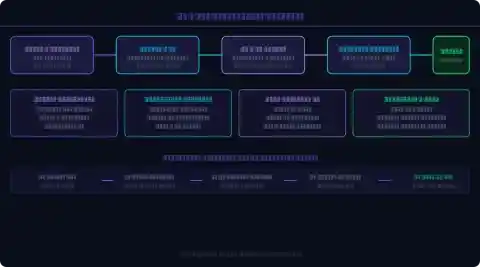
Layer 1: BIM Authoring (Revit, ArchiCAD, Tekla)
Your model lives here. The key to AI integration is getting data out of BIM in a machine-readable format. Two main paths:
- IFC export: Industry Foundation Classes is the open standard. Parse it with
IfcOpenShellin Python to extract element geometry, materials, and spatial relationships. - Revit API / REST API: Direct programmatic access to all Revit elements. More powerful than IFC but Revit-specific.
Layer 2: Parametric Scripting (Dynamo, Grasshopper)
This is where most structural engineers already have a foothold. Dynamo (built into Revit) and Grasshopper (Rhino) let you write visual node-based scripts that drive BIM geometry parametrically. Add Python or C# script nodes and you can call any external library — including ML models. This is the bridge layer between BIM and AI.
Layer 3: AI / ML Engine
Three practical approaches depending on your problem:
| AI Approach | Best For | Typical Tool | Effort to Implement |
|---|---|---|---|
| Generative Design | Early-stage option exploration | Autodesk Gen Design, Wallacei | Low — GUI-driven |
| ML Surrogate Model | Fast prediction of analysis results | scikit-learn, PyTorch, Karamba3D | Medium — needs training data |
| LLM / Code Assistant | Script writing, report drafting, spec checking | ChatGPT-4o, GitHub Copilot | Very Low — plug and use |
| Physics-Informed Neural Net | PDE-based structural problems | DeepXDE, PyTorch + custom | High — research-level setup |
Layer 4: Analysis Software (ETABS, Robot, SAP2000, RFEM)
The analysis engines you already use have APIs. ETABS has a Python COM API that lets you build models, run analysis, and extract results programmatically. Robot Structural Analysis has a REST API. This means you can run thousands of design variations automatically and feed results back into your ML model — closing the optimization loop without ever clicking through the GUI.
2. Dynamo Scripting: Automate Repetitive Structural Tasks
If you're manually placing columns on a grid, manually tagging beam sizes, or manually updating load combinations in Revit — you're wasting billable hours. Dynamo fixes this. Here are three scripts worth having in your toolkit today:
Script 1: Auto-Place Structural Columns on Architectural Grid
import clr
clr.AddReference('RevitAPI')
from Autodesk.Revit.DB import *
from Autodesk.Revit.DB.Structure import *
# Get grid intersections from Dynamo inputs
grid_points = IN[0] # List of XYZ points
col_type = IN[1] # ColumnType from Revit
level = IN[2] # Base level
doc = DocumentManager.Instance.CurrentDBDocument
columns = []
with Transaction(doc, 'Place Columns') as t:
t.Start()
for pt in grid_points:
col = doc.Create.NewFamilyInstance(
pt, col_type, level,
StructuralType.Column)
columns.append(col)
t.Commit()
OUT = columns
This replaces 2–3 hours of manual column placement on a typical floor plate with a 30-second script run. Modify grid_points to pull from an imported grid CSV and the entire structural layout updates automatically when the architectural grid shifts.
Script 2: Auto-Tag All Structural Members with Section Sizes
A 10-line Dynamo script using Element.GetParameterValueByName nodes can auto-tag every beam and column in a view with its section designation. Output to a schedule that feeds your steel take-off automatically. Zero manual annotation. For a walkthrough of the node graph, see the Autodesk Dynamo Primer: primer.dynamobim.org.
Script 3: Sync Section Sizes from ETABS Back to Revit
After running your ETABS analysis and getting section optimization results, a Python script reading the ETABS output database (.edb) can extract the final section assignments and push them back to Revit via the API — keeping your BIM model in sync with the analysis model without copy-pasting. This is the workflow that eliminates model coordination errors between structural analysis and BIM teams.
3. Generative Design: When to Use It, When to Skip It
Generative design is the most over-marketed AI capability in AEC. Here's the honest breakdown of when it genuinely adds value versus when it's a fancy way to waste compute time.
What Generative Design Actually Does
You define: geometry constraints, material options, load cases, performance objectives (minimise weight, maximise stiffness, stay within deflection limits). The algorithm — typically an evolutionary solver like NSGA-II — explores thousands of design variants and presents you with a Pareto front: the set of designs where you can't improve one objective without worsening another.
# Genome: beam depth d (150mm to 800mm in 25mm steps)
# Fitness function: minimise (weight + 100 * max(0, delta - delta_allow))
import math
d = float(x[0]) # beam depth in mm from Galapagos genome
b = 200 # fixed flange width mm
E = 200e3 # steel E in MPa
I = (b * d**3) / 12 # simplified I (mm4)
L = 8000 # span mm
w = 30 # UDL N/mm
delta = (5 * w * L**4) / (384 * E * I) # mid-span deflection
delta_allow = L / 360
weight = b * d * L * 7.85e-6 # kg
penalty = 100 * max(0, delta - delta_allow)
fitness = weight + penalty # minimise this
OUT = fitness
Connect this script node to a Galapagos solver in Grasshopper and it runs 500 iterations in under 2 minutes, finding the minimum-weight beam section that stays within L/360 deflection. Try that by hand.
Autodesk Generative Design (Fusion 360 / Revit)
For 3D structural topology optimisation — finding the optimal material distribution within a design space — Autodesk's built-in Generative Design tool is production-ready. Specify boundary conditions, loads, obstacle geometry (pipe runs, headroom), and material. It outputs multiple manufacturable options ranked by weight. Real use case: a transfer beam above an opening where minimising steel tonnage while meeting deflection and clearance constraints has no obvious manual solution. The tool explores the space you can't.
When to Skip Generative Design
Standard floor beams on a regular grid. Standard column sections following a code-compliant table. Any design where engineering judgment immediately identifies the right answer. Generative design earns its compute cost on unconstrained or conflicting-constraint problems. Don't use a Ferrari to drive to the corner shop.
4. Machine Learning for Structural Analysis

Surrogate Models: The Most Practical ML Application Right Now
A surrogate model is a machine learning model trained on FEA results that can predict analysis outputs (deflection, stress, reaction forces) for new inputs in milliseconds instead of minutes. The workflow:
- Generate a training dataset: run 1,000–5,000 FEA analyses varying your design parameters (span, depth, load magnitude, support condition) using your analysis software API
- Train a regression model: a Random Forest or shallow neural network typically achieves 90–95% accuracy versus FEA on interpolated inputs
- Deploy the surrogate: embed it in Dynamo or Grasshopper for instant structural feedback during design, before ever opening your analysis software
import numpy as np
from sklearn.ensemble import RandomForestRegressor
from sklearn.model_selection import train_test_split
# X: [span_m, depth_mm, width_mm, udl_kNm, E_GPa]
# y: mid-span deflection in mm (from FEA training runs)
X = np.load('beam_features.npy')
y = np.load('beam_deflections.npy')
X_train, X_test, y_train, y_test = train_test_split(X, y, test_size=0.2)
model = RandomForestRegressor(n_estimators=200, max_depth=12)
model.fit(X_train, y_train)
# Predict deflection for new beam in real time
new_beam = np.array([[8.5, 450, 200, 25, 200]]) # your design
deflection_mm = model.predict(new_beam)[0]
print(f"Predicted deflection: {deflection_mm:.2f} mm")
print(f"L/d ratio: {8500/deflection_mm:.0f}")
With 2,000 FEA training runs (which your analysis software API can generate overnight), this model predicts deflections in 3 milliseconds with ~93% accuracy. Embed it in a Dynamo node and you get live deflection feedback as you drag a slider changing beam depth in Revit. That's the future of structural design, and you can build it today with free Python libraries.
Karamba3D: FEA Directly in Grasshopper
Karamba3D is a parametric structural engineering tool that runs finite element analysis natively inside Grasshopper. No export, no separate analysis software, no round-tripping. You can drive section sizes from a Galapagos slider, run the FE analysis, read the utilisation ratio, and feed the result into a fitness function for optimisation — all in one Grasshopper canvas. For early-stage scheme design, Karamba3D running inside a Galapagos loop is the fastest way to find minimum-weight structures that satisfy code deflection limits.
5. LLM + Engineering: ChatGPT, Copilot, and Code Assistants
LLMs are not going to design your structure. But they're remarkably effective at four specific tasks that currently consume disproportionate engineer time:
5.1 Write Dynamo / Python Scripts From Plain English
Prompt: "Write a Python script for the Dynamo Python node that reads all structural beams from the active Revit view, extracts their span, depth, and section mark, and exports to a CSV file at C:/structural_schedule.csv"
ChatGPT-4o produces functional code in about 15 seconds. You still need to review and test it, but you're starting from 80% rather than 0%. For structural engineers who aren't daily programmers, this is genuinely transformative — a task that might have taken 3 hours to research and code takes 20 minutes to prompt, review, and debug.
5.2 Check Calculation Methodology
Paste your calculation approach and ask GPT-4o to identify errors or check it against a code clause. Not a substitute for engineering judgment, but a useful peer-review step. It's good at spotting formula errors, unit inconsistencies, and missed load combinations. It also explains why something is wrong, which is faster than hunting through code commentary.
5.3 Draft Engineering Reports
Feed it your calculation outputs and ask it to write the structural assessment narrative. You edit for accuracy and technical depth — but the first draft that used to take 2 hours takes 15 minutes. Always verify factual claims; LLMs hallucinate specifics with confidence.
5.4 Parse and Summarise Standards
"What does AS 4100-2020 Clause 5.3 say about compression member effective length for a column pinned at both ends, and what's the effective length factor?" — GPT-4o answers this accurately and cites the clause. Useful for quick code lookups, less reliable for nuanced interpretation of complex provisions.
6. Practical Demo: ETABS API + Python Automation
This is the one most structural engineers have been waiting for. ETABS exposes a COM API that Python can control directly. Here's a working workflow for automating a parametric study — varying column sizes across 50 combinations and extracting drift results without touching the ETABS GUI once.
# Requires ETABS installed + comtypes Python package
import comtypes.client, pandas as pd
# Attach to running ETABS instance
ETABS = comtypes.client.GetActiveObject("CSI.ETABS.API.ETABSObject")
SapModel = ETABS.SapModel
SapModel.InitializeNewModel()
SapModel.File.OpenFile(r"C:Projectsframe_model.edb")
# Column section sizes to test (UC sections)
sections = ["UC203x203x46", "UC254x254x73",
"UC305x305x97", "UC356x406x143"]
results = []
for sec in sections:
# Assign section to all columns
SapModel.FrameObj.SetSection("All", sec, eItemType.Group)
# Run analysis
SapModel.Analyze.RunAnalysis()
# Extract max storey drift from load combo
SapModel.Results.Setup.SetCaseSelectedForOutput("EX")
ret = SapModel.Results.StoryDrifts()
max_drift = max(ret[5]) # drift values array
results.append({'section': sec, 'max_drift': max_drift})
print(f"Section {sec}: max drift = {max_drift:.4f}")
df = pd.DataFrame(results)
df.to_csv(r"C:Projectsdrift_study_results.csv")
print("Done. Best section:", df.loc[df.max_drift.idxmin(), 'section'])
This script runs 4 complete ETABS analyses and extracts drift results in under 5 minutes. Scale it to 50 section combinations and you have a parametric study that would take days to run manually. Combine it with a Pandas DataFrame and matplotlib and you have publication-quality output graphs automatically. The full ETABS API documentation is available at docs.csiamerica.com.
For the structural design principles needed to interpret drift results correctly, see our Seismic Design Complete Guide and Seismic Design of Highway Bridges. For SHM integration once the structure is built, see our Structural Health Monitoring Guide.
7. AI Tools Comparison: Costs, Capabilities, Honest Verdict

| Tool | Category | Cost | Learning Curve | Best Use Case | Verdict |
|---|---|---|---|---|---|
| Dynamo (Revit) | BIM Scripting | Free (with Revit) | Medium | Automate repetitive modelling tasks | ★★★★★ Must-have |
| Grasshopper (Rhino) | Parametric Design | ~$1,000/yr | Medium-High | Complex geometry, optimisation | ★★★★☆ Essential for complex work |
| Karamba3D | ML + FEA in GH | ~$900/yr | Medium | Structural FEA inside Grasshopper | ★★★★★ Best in class |
| Autodesk Gen Design | Generative | Included (AEC Collection) | Low (GUI) | Topology optimisation, complex geometry | ★★★☆☆ Powerful but niche |
| SkyCiv AI | Cloud Structural | From $99/mo | Low | Quick checks, small firms, API access | ★★★☆☆ Good for checks |
| ChatGPT-4o | LLM | $20/mo (Plus) | None | Script writing, reports, code lookup | ★★★★★ Immediate ROI |
| GitHub Copilot | Code AI | $10/mo | None (autocomplete) | Python / C# for API scripts | ★★★★☆ Worth it if you code |
| Spacemaker (Esri) | AI Site Planning | Enterprise | Low (GUI) | Masterplanning, solar, wind, density | ★★★☆☆ Excellent for planning stage |
| Calcpad + GPT | Code Checking | Free + API costs | Low-Medium | Automated calculation checking | ★★★☆☆ Growing fast |
8. Video Walkthroughs: See It in Action
Reading about Dynamo scripts and ETABS APIs only gets you so far. These curated YouTube walkthroughs show the actual workflows in real software — watch, pause, replicate:
Dynamo for Structural Engineers — Getting Started
Covers node basics, Python scripting nodes, and connecting to Revit elements. Start here if Dynamo is new to you.
Grasshopper + Karamba3D: Structural Optimisation in 20 Minutes
Real workflow: parametric truss depth optimisation with live FEA feedback inside Grasshopper. One of the most practical videos available for structural engineers wanting to use computational design.
Autodesk Generative Design for Structural Components
Autodesk's own walkthrough of the generative design workflow in Fusion 360. Shows the full cycle from constraints to manufacturing-ready outputs.
9. Honest Take: What AI Can't Do Yet
⚠ What nobody tells you
AI cannot exercise engineering judgment. It cannot look at an unusual connection detail and recognise that the load path is wrong. It cannot interview a client and understand that what they actually need is different from what they asked for. It cannot read a site visit report and infer that the ground conditions are likely to affect the foundation design assumptions.
What AI can do is handle the mechanical, repetitive, pattern-matching work that currently consumes 30–50% of a structural engineer's time. Getting that time back — and redirecting it to the engineering problems that actually require a trained human brain — is the real opportunity. The engineers who will benefit most from AI are the ones who understand its limits clearly enough to know exactly when to use it and when to set it aside. Use it as a tool, not as a replacement for thinking.
10. About the Author
M. Haseeb Mohal
Graduate Structural Engineer
Graduate structural engineer interested in the intersection of computational tools and structural design. This article was compiled from public resources, software documentation, research papers, and hands-on experimentation with the tools described.
References and Further Reading
- Raissi, M., Perdikaris, P., Karniadakis, G.E. (2019). Physics-informed neural networks. Journal of Computational Physics, 378, 686-707.
- McKinsey Global Institute (2020). The Next Normal in Construction: How Disruption Is Reshaping the World's Largest Ecosystem.
- Autodesk Dynamo Primer — official learning resource for Dynamo scripting
- CSI ETABS API Documentation — COM API reference for Python automation
- Karamba3D — parametric structural engineering in Grasshopper
- Structural Health Monitoring Complete Guide — civilmat.com
- Seismic Design Complete Guide — civilmat.com
- Flexural Analysis and Design of Beams — civilmat.com


Be the first to comment.