

Using ChatGPT & AI for Structural Design Checks: A Practical Engineer's Guide
📋 Table of Contents
▼- What AI can actually do in structural engineering
- AI tools compared: ChatGPT vs Claude vs SkyCiv AI
- 10 practical use cases with real prompt examples
- Steel beam design check (AS4100 / AISC)
- Load combination generation
- Column slenderness and buckling check
- Concrete slab preliminary sizing
- Bolted connection checks
- Python scripting for iterative design
- Seismic base shear calculation
- Calculation report drafting
- Code clause navigation
- Peer review support
- Prompting strategies that produce reliable outputs
- What AI gets wrong — the critical limits
- Professional responsibility and liability
- Integrating AI into your daily engineering workflow
- The next generation: AI-integrated structural platforms
- Frequently asked questions
- References and further reading
What AI can actually do in structural engineering
The question most engineers ask first is whether AI tools understand structural mechanics at a level that's actually useful. The honest answer is: yes, for a narrow band of tasks, and no, for anything that requires site judgment or current code knowledge.
Large language models like GPT-4o and Claude 3.5 were trained on enormous volumes of engineering text — textbooks, research papers, design guides, forum discussions. They have absorbed beam theory, load path concepts, code formatting patterns, and calculation methodologies. What they lack is the ability to verify their outputs against live code documents, or to sense the construction context that changes how a calculation should be framed.
Here's a useful way to split what AI does well versus where it falls over:
Preliminary member sizing
Quick section estimates based on span, load, and target utilisation — good enough to start a model.
Load combination tables
Generate complete load combo tables per AS/NZS 1170.1, ASCE 7, or Eurocode with correct factors.
Code clause lookup
Find relevant clauses in AS4100, ACI 318-19, AISC 360-22, BS EN 1993 — though always verify.
Python / Excel scripting
Write calculation scripts that automate repetitive section checks, interpolation, or design iteration.
Report and note drafting
Draft calculation preambles, basis of design sections, and technical specifications from your notes.
Formula derivation and checking
Verify algebraic steps in manual calculations and spot unit errors before they propagate.
FEA and complex analysis
Cannot run finite element models, handle geometric non-linearity, or perform staged construction analysis.
Site-specific judgment
No knowledge of soil conditions, existing structure constraints, or construction method implications.
Current code amendments
Training data has a cutoff. Amendments to AS 4100-2020 or ACI 318-19 issued after that date are invisible to the model.
EOR legal sign-off
AI cannot accept professional liability. A registered engineer must certify every calculation that goes on a stamped drawing.
AI tools compared: ChatGPT vs Claude vs SkyCiv AI
Not all AI tools perform equally for structural work. The table below reflects actual engineering use — not marketing claims. "Structural accuracy" refers to whether the tool's outputs match hand-checked results without prompting corrections.
| Tool | Best For | Structural Accuracy | Code Knowledge | Scripting | Free Tier |
|---|---|---|---|---|---|
| ChatGPT GPT-4o OpenAI |
Code lookups, load combos, report drafting | Moderate | AS, AISC, ACI, EC | Excellent | Yes (limited) |
| Claude Sonnet Anthropic |
Long calculation documents, complex reasoning chains | Moderate | AS, AISC, ACI, EC | Excellent | Yes (limited) |
| SkyCiv AI SkyCiv |
Structural analysis with verified calculation engine | High | AS, AISC, ACI, EC | Built-in | Free trial |
| GitHub Copilot Microsoft |
Python / Dynamo scripting for structural tasks | N/A (code only) | Limited | Excellent | Yes |
| Google Gemini Pro |
Multi-modal tasks (reading PDF drawings) | Moderate | Limited | Good | Yes |
| ClearCalcs AI ClearCalcs |
Residential/light commercial design checks | High | AS, NZS, AISC | N/A | Free trial |
10 practical use cases with real prompt examples
The following use cases come from actual engineering workflows. Each includes a prompt template you can adapt directly.
1. Steel beam design check (AS4100 / AISC 360)
AI handles preliminary bending and shear checks well. The key is giving it every input up front — section properties, span, supports, loads. If you leave anything out, it assumes values and doesn't always tell you.
That prompt structure — section, span, restraints, loading, combo, specific outputs required — produces a step-by-step calculation that's far more useful than asking "check this beam." The clause references let you verify the working against the actual standard.
2. Load combination generation
Generating a full load combination table is tedious work that AI does quickly and accurately — provided you specify the code and relevant load types.
| Combination | Expression (ULS) | Typical Governing Case |
|---|---|---|
| 1 | 1.35G | Self-weight dominated members |
| 2 | 1.2G + 1.5Q | Gravity load governed beams & columns |
| 3 | 1.2G + ψc·Q + Wu | Wind uplift + live load concurrent |
| 4 | 0.9G + Wu | Net uplift — holding-down bolts, slab uplift |
| 5 | G + ψE·Q + Eu | Seismic zones — lateral + gravity concurrent |
| SLS-ST | G + ψs·Q | Short-term deflection, crack width |
| SLS-LT | G + ψl·Q | Long-term creep, permanent deflection |
3. Column slenderness and buckling check
AI is reasonably reliable for Euler buckling, effective length factors, and slenderness limit checks. Where it fails: when the effective length factor depends on joint stiffness that requires a sway/non-sway classification the AI cannot assess without the full frame geometry.
4. Concrete slab preliminary sizing
For preliminary span-to-depth ratios and bar spacing estimates per ACI 318-19 or AS 3600-2018, AI is useful. It should not be used to generate final bar schedules without running a proper reinforced concrete design tool.
5. Bolted connection checks
Connection design is one area where AI delivers useful preliminary checks — bolt group centroids, eccentricity effects, and bearing capacity — but struggles with weld throat geometry and multiplanar connections.
6. Python scripting for iterative design
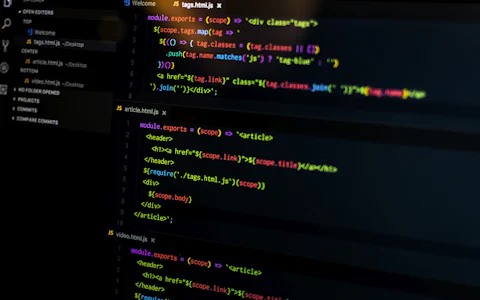
This is arguably the most productive use of AI for engineers. Writing Python scripts to iterate through section sizes, plot interaction diagrams, or automate load takeoffs takes hours manually. AI gets a working script in minutes.
How structural engineers are integrating AI into daily design workflows — tools, prompts, and verification strategies.
7. Seismic base shear calculation
Equivalent static force method calculations are well within AI capability. Dynamic response spectrum analysis is not — that requires a structural model, not a text conversation.
8. Calculation report drafting
Engineers spend a disproportionate amount of time writing — calculation preambles, basis of design narratives, letter of recommendations. AI handles these quickly, and the output usually only needs light editing.
9. Code clause navigation
Scanning a 400-page design standard to find the clause about minimum eccentricity in column design wastes real time. AI locates these clauses in seconds — but you should read the actual clause before relying on what it says.
10. Peer review support
Paste a set of hand calculations into ChatGPT or Claude and ask it to check the logic and unit consistency. It catches things that slip past tired eyes — wrong sign conventions, incorrect moment factor, skipped steps. It's not a substitute for a second engineer, but it's a useful first pass.
Prompting strategies that produce reliable outputs
The quality of what AI gives you is determined almost entirely by how you ask. Structural engineering prompts have specific requirements that general-purpose AI users don't think about.
Specify the exact code edition
Say "AS4100-2020" not "Australian steel code." Say "ACI 318-19" not "ACI code." AI has training data for multiple code editions and will default to whichever it has the most data on — which may be an older version.
Give all inputs in one message
Section designation, span, support conditions, all applied loads (factored and unfactored), material properties, and exposure class. If you omit something, the model assumes a value and may not flag it.
Ask for step-by-step working with clause references
Add "Show all working and reference specific clause numbers." This forces the AI to commit to a calculation path and cite clauses you can check. Without this instruction, you get an answer with no audit trail.
Request a PASS/FAIL summary
Tell it to conclude with a compliance summary for each limit state. This prevents vague outputs where you have to interpret the result yourself.
Verify clause numbers independently
Never trust an AI-quoted clause number without opening the actual standard. Hallucinated clause numbers are the most common and dangerous error in AI-assisted structural work.
Ask it to flag what it cannot check
Include "State any inputs you had to assume and any checks you cannot perform without additional information." This surfaces gaps rather than letting the AI paper over them.
How AI tools rank for common structural tasks
Approximate capability rating (1 = limited, 10 = highly reliable) based on engineering community testing and peer-reviewed assessments:
What AI gets wrong — the critical limits
Engineers who have integrated AI into their workflows consistently report the same failure modes. Knowing these before you start saves time and prevents errors reaching construction.
AI invents plausible-sounding clause references (e.g., "AS4100-2020 Cl. 6.3.4") that either don't exist or contain different content. This is the most dangerous failure mode.
Ke for columns depends on sway/non-sway frame classification and joint stiffness ratios that AI cannot assess without the full structure geometry.
Unusual combinations — prestressed concrete, machinery vibration, crane loads — often use reduction factors or allowable stress methods that AI confuses or mixes between codes.
AI sometimes uses incorrect Zx, Ix, or J values from memory rather than catalogue values. Always cross-check section properties from the actual steel section tables (e.g., OneSteel, AISC Manual).
Unless you explicitly list what to check, AI may skip limit states — particularly local buckling, web crippling, or second-order effects in slender members.
AI presents wrong answers with exactly the same confident tone as correct ones. There is no hesitation or uncertainty flag. You cannot tell from the tone whether a result is reliable.
When you specify the code and load types, AI generates correct ULS/SLS combinations accurately and consistently. This is one of its most reliable structural outputs.
Given explicit formula inputs, AI applies equations correctly. It's the clause identification and assumption-setting where errors creep in, not the arithmetic.
Real-world testing of ChatGPT on structural engineering problems — what passes, what fails, and what you should never trust without verification.
Professional responsibility and liability
The legal position is clear in every jurisdiction with a licensed engineering profession: the engineer of record is responsible for all calculations on a stamped drawing, regardless of what tool generated them.
The Australian Engineers Australia Code of Ethics, ASCE Code of Ethics, and UK Engineering Council standards all require that engineers apply independent professional judgment to every output they certify. AI is a tool in the same category as structural software — you are responsible for verifying its outputs, not trusting them by default.
| Scenario | Appropriate AI Use | Liability Position |
|---|---|---|
| Preliminary beam sizing for architectural coordination | Use AI estimate, note "preliminary only" | Acceptable |
| Load combination table for calculation package | Use AI output, verify against code before including | Acceptable with verification |
| Python script for section selection (run by engineer) | AI writes script, engineer reviews logic and runs it | Acceptable |
| Design calculation for stamped drawing, unchecked AI output | Not acceptable | Professional liability risk |
| AI-generated code clause reference, unchecked | Not acceptable | Risk of non-compliance |
Some firms are now drafting internal AI use policies that require engineers to document which parts of a calculation were AI-assisted and what verification steps were taken. This is sound practice regardless of whether your jurisdiction mandates it yet.
Integrating AI into your daily engineering workflow
The engineers who get the most out of AI tools treat them like a knowledgeable assistant, not an oracle. The assistant drafts, the engineer decides. Here's how that looks day to day:
Morning: project intake. A new project comes in — a 4-storey retail building in seismic zone 2B. You ask ChatGPT to generate a preliminary loading summary: gravity loads by floor, wind load parameters for the city, seismic hazard level. This takes 3 minutes instead of 20. You review and adjust.
Midday: calculation scripting. You need to check 12 different beam spans with varying UDLs. You prompt GitHub Copilot in VS Code to write a Python script that loops through the spans, calculates M* and V*, and checks them against tabulated φMs and φVv values for a chosen section. You review the script logic, run it, and have your results in a table within 15 minutes.
Late afternoon: report writing. You have hand calculations done. You paste your notes into Claude and ask for a formal calculation preamble. You edit the output for accuracy, add your registered engineer details, and have a professional-looking document in 20 minutes instead of an hour.
Structural Engineering Services
Need structural design checks, calculation packages, or peer review for your project? Muhammad Haseeb (MIEAust) provides structural engineering services for residential, commercial, and industrial projects. Available for international remote consulting.
View Portfolio → LinkedInThe next generation: AI-integrated structural platforms
General-purpose AI tools like ChatGPT are a starting point. The more significant shift is happening inside dedicated structural software, where AI connects to verified calculation engines rather than generating freeform text.
SkyCiv. SkyCiv's AI assistant can interpret natural language descriptions of structures, set up analysis models, and run verified AISC/AS/Eurocode checks — with the AI acting as an interface layer, not the calculation engine itself. This avoids the hallucination problem because the AI translates your intent into inputs for a certified solver.
Autodesk Forma and Speckle. Autodesk's Forma platform is adding AI-driven structural concept generation, where load path suggestions and structural system options come from ML models trained on thousands of completed building designs. Speckle provides the data layer that lets AI tools access structural model data across platforms.
ETABS and SAP2000 integrations. CSi is embedding AI features for automated model checking and report generation — catching common modelling errors before they reach the analysis stage.
Reinforcement learning for optimisation. Research from MIT, ETH Zürich, and the University of Melbourne is applying reinforcement learning to structural topology optimisation — finding minimum-material solutions to complex loading scenarios that human-guided optimisation routinely misses. These tools are not yet in production practice but are 2–4 years away from commercial release.
| Platform | AI Feature | Status | Link |
|---|---|---|---|
| SkyCiv | Natural language structural model setup + code checks | Live | skyciv.com |
| Autodesk Forma | AI structural concept generation, wind/solar analysis | Live | autodesk.com |
| ClearCalcs | AI-assisted residential structural design checks | Live | clearcalcs.com |
| Speckle | AI model review across BIM/structural platforms | Beta | speckle.systems |
| ETABS / SAP2000 | AI model checking and automated report generation | In development | csiamerica.com |
Frequently asked questions
Related articles
Python for Structural Engineering Calculations — A Practical Guide
SkyCiv vs ETABS: Which Structural Analysis Software is Right for You?
AS4100-2020 Steel Beam Design: Step-by-Step Worked Example
References and further reading
- Standards Australia. AS 4100-2020: Steel Structures. SAI Global. saiglobal.com
- Standards Australia. AS 3600-2018: Concrete Structures. SAI Global.
- Standards Australia / Standards New Zealand. AS/NZS 1170.1-2002: Structural Design Actions — Permanent, Imposed and Other Actions. SAI Global.
- American Concrete Institute. ACI 318-19: Building Code Requirements for Structural Concrete. concrete.org
- American Institute of Steel Construction. AISC 360-22: Specification for Structural Steel Buildings. aisc.org
- ASCE. (2022). ASCE 7-22: Minimum Design Loads and Associated Criteria for Buildings and Other Structures. asce.org
- Zheng, R., et al. (2023). "Evaluating large language models on structural engineering tasks." Journal of Structural Engineering. ascelibrary.org
- SkyCiv. (2024). "AI-assisted structural analysis: Current capabilities and limits." skyciv.com/docs
- Engineers Australia. Code of Ethics. engineersaustralia.org.au
- Autodesk. (2024). "Forma AI structural tools overview." autodesk.com
- Speckle Systems. (2024). "Connecting structural data across platforms." speckle.systems

Be the first to comment.