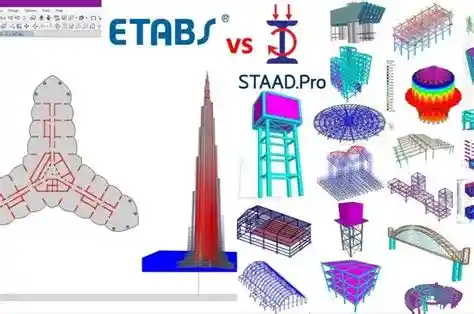
ETABS or STAAD Pro — which one should you use? Here is the direct answer: ETABS is the clear choice for multi-story RC and composite building design, with automated seismic workflows, shear wall tools, and story-drift tracking built in. STAAD Pro is the better platform for industrial structures, bridges, transmission towers, and any project that crosses international code jurisdictions — its library covers 90+ design standards. Both are mature, globally trusted FEA platforms. The right pick depends entirely on project type and career path.
ETABS is built by Computers and Structures, Inc. (CSI) in Berkeley, California — the same team behind SAP2000 and SAFE. STAAD Pro is a Bentley Systems product, used by L&T, AECOM, CPWD, and major EPC contractors worldwide for infrastructure and industrial design. Understanding the engineering assumptions beneath each interface is what separates competent software operators from engineers who deliver reliable structures.
This comparison covers analysis engines, code libraries, seismic and wind workflows, output precision, modeling philosophy, pricing, academic research findings, and real salary data from the US, Canada, and UK markets.
📋 Table of Contents
- Quick Software Verdict
- What is ETABS?
- What is STAAD Pro?
- Head-to-Head Feature Comparison
- Analysis Capabilities Deep Dive
- Code Compliance & Design Standards
- Seismic & Wind Load Analysis
- Modeling Approach & User Interface
- Output, Results & Post-Processing
- BIM Integration & Interoperability
- Pricing & Licensing
- Job Market & Salary Data
- Industry Applications
- Academic Research Findings
- Which Should You Learn First?
- FAQs
Quick Software Verdict
ETABS — Best for Buildings
- High-rise & mid-rise building design
- Superior seismic performance workflows
- Automatic shear wall & slab tools
- Story-drift tracking per code — automated
- Post-tensioned slab design (integrated)
- SAPFire 64-bit multi-threaded engine
- Direct link to SAFE & PERFORM-3D
STAAD Pro — Best for Infrastructure
- Industrial plants, bridges, towers, offshore
- 90+ international design codes
- Moving load & influence line analysis
- Full cable & tapered member support
- Pile foundation design built-in
- Bentley iTwin & ConnectedData ecosystem
- STAAD Editor — fully scriptable models
What is ETABS?
ETABS (Extended Three-Dimensional Analysis of Building Systems) is a purpose-built structural analysis and design program by Computers and Structures, Inc. (CSI), Berkeley, California. First released in the 1970s under Dr. Edward Wilson, it has evolved into the world's most widely adopted software for multi-story building analysis and design.
The software runs on the SAPFire Analysis Engine — a 64-bit, multi-threaded FEA solver capable of handling models with hundreds of thousands of elements. ETABS uses an object-based modeling approach: you model a beam or column as a physical object, and the engine internally discretizes it. This gives building engineers dramatically faster workflows compared to node-based programs.
| Specification | Detail |
|---|---|
| Developer | Computers and Structures Inc. (CSI) — Berkeley CA |
| Analysis Engine | SAPFire — 64-bit multi-threaded GPU-capable |
| Current Version | ETABS 21 / ETABS 22 |
| License Model | Subscription (monthly/annual) + Perpetual options |
| Supported OS | Windows 10/11 64-bit |
| FEA Element Types | Frame / Shell (thin & thick) / Solid / Link / Cable / Tendon |
| Nonlinear Capabilities | Material & geometric nonlinearity; Pushover (FEMA 356 / ATC-40); NLTH |
| Design Codes Supported | ACI 318 / AISC 360 / ASCE 7 / AS 3600 / EC2 & EC3 / BS 8110 / IS 456 / IS 1893 / CSA A23.3 / NZS 3101 |
| BIM Export Formats | IFC / Revit (.rvt) / SAFE / AutoCAD DXF |
What is STAAD Pro?
STAAD Pro (Structural Analysis and Design Program) was originally developed by Research Engineers International and acquired by Bentley Systems in 2005. It is a general-purpose FEA platform used across buildings, bridges, industrial plants, offshore platforms, transmission towers, stadiums, and process piping support structures globally.
Unlike ETABS, STAAD Pro uses a node-and-member finite element modeling approach — you define geometry by placing nodes and connecting members between them. This provides maximum geometric flexibility at the cost of additional setup time for standard building configurations. Three product tiers exist: STAAD Pro Standard, STAAD Pro Advanced, and Structural WorkSuite (bundles STAAD, RAM Structural System, and MOSES for offshore).
| Specification | Detail |
|---|---|
| Developer | Bentley Systems — Exton PA |
| Analysis Engine | STAAD Engine — finite element matrix displacement method |
| Available Versions | STAAD.Pro Standard / Advanced / Structural WorkSuite |
| License Model | Perpetual + Annual Subscription (SELECT) |
| Supported OS | Windows 10/11 64-bit |
| FEA Element Types | Beam / Plate / Solid / Spring / Cable / Curved member / Tapered |
| Nonlinear Capabilities | Geometric P-Delta / Material nonlinearity / Buckling / Direct Analysis Method |
| Design Codes | 90+ codes: ACI 318 / AISC 360 / IS 456 & 800 / BS 5950 / EC2 & EC3 / AS 3600 / CSA / SABS / NBR-6118 / SNI / SBC |
| BIM Export Formats | IFC / Revit / Tekla Structures / OpenBuildings Designer / AutoPIPE |
Head-to-Head Feature Comparison
| Feature | ETABS | STAAD Pro |
|---|---|---|
| Primary Use Case | Multi-story RC / steel / composite buildings | All structure types — buildings, bridges, industrial, offshore |
| Modeling Approach | Object-based — faster for buildings | Node-based — more flexible geometry |
| Shear Wall Design | Built-in — no manual mesh needed | Manual meshing required |
| Floor Diaphragms | Automatic rigid / semi-rigid assignment | Manual assignment required |
| Post-Tensioned Slabs | Yes — integrated PT tendon design | Not natively supported |
| Story Drift Tracking | Automated per story per load combo | Manual extraction from result tables |
| Pushover Analysis | FEMA 356 / ATC-40 / EC8 — built-in | Limited; external post-processing needed |
| Moving Load Analysis | Limited | Full moving load for bridges & cranes |
| Cable Structure Analysis | Basic | Full nonlinear cable element with sag |
| Tapered Members | Limited support | Full variable-section along length |
| Transmission Towers | Not ideal | Industry standard — angle section opt. |
| Pile Foundation Design | Limited (use SAFE) | Built-in pile foundation module |
| Design Code Library | ~15 major codes | 90+ international codes |
| Seismic Performance Design | Advanced — RSA / NLTH / Pushover | Standard RSA / Time History |
| Steel Section Optimization | RC reinforcement optimization | Auto-selects lightest AISC/JIS section |
| BIM Integration | Superior Revit + SAFE link | Strong Bentley ecosystem |
| Learning Curve | Moderate — building-optimized UI | Steeper — general-purpose complexity |
| Result Visualization | Color contours / envelope diagrams / inline code warnings | Structured text reports; Excel export |
Performance Rating by Engineering Category
Analysis Capabilities: What Each Software Can Do
Both platforms support a comprehensive range of structural analysis methods. The critical difference is in how each software implements these methods and the level of automation provided for building vs. non-building structures.
ETABS Analysis Types
- Linear Static Analysis — gravity, lateral, temperature, and settlement loads
- P-Delta (Geometric Nonlinear) — iterative P-delta for slender columns and drift-sensitive frames
- Modal Analysis — Ritz vectors and Eigenvectors; automatic mass source definition
- Response Spectrum Analysis (RSA) — ASCE 7, IS 1893, EC8, NZS 1170.5 with SRSS / CQC / ABS modal combination and automated base shear scaling
- Nonlinear Time History Analysis — Fast Nonlinear Analysis (FNA) and direct integration
- Pushover Analysis — FEMA 356, ATC-40, EC8 Annex B — essential for Performance-Based Earthquake Engineering (PBEE)
- Construction Sequence Analysis — staged loading for tall buildings and PT systems; captures creep/shrinkage effects
- Buckling Analysis — linearized buckling with mode shapes and critical load factors
STAAD Pro Analysis Types
- Linear Static Analysis — full load combination automation with pattern loading
- P-Delta Analysis — both approximate (KG) and rigorous iterative P-Delta methods
- Direct Analysis Method (DAM) — per AISC 360-22 Chapter C — the preferred approach for steel frame design
- Buckling Analysis — linearized buckling with mode shape extraction
- Response Spectrum Analysis — multi-code spectra with SRSS/CQC/ABS combinations
- Time History Analysis — modal superposition and direct integration
- Moving Load Analysis — AASHTO vehicle models, influence line generation, bridge girder envelope design
- Cable Analysis — nonlinear cable element with geometric stiffness and sag effects
- Plate / Shell FEA — full finite element analysis for tanks, shells, retaining walls, and shear walls
- Soil-Spring Interaction — Winkler foundation spring supports from geotechnical data
Code Compliance & Design Standards
Code coverage is one of the sharpest technical differentiators between the two platforms. STAAD Pro's 90+ code library is unmatched industry-wide — it is the primary reason EPC contractors working simultaneously across Saudi Arabia, India, and Europe standardize on STAAD Pro rather than ETABS.
| Code Category | ETABS | STAAD Pro |
|---|---|---|
| US Concrete — ACI 318-19 | Full support | Full support |
| US Steel — AISC 360-22 | Full support | Full support + DAM |
| US Loading — ASCE 7-22 | Automated load generation | Manual + automated input |
| Seismic Performance — ASCE 41 / FEMA 356 | Yes — built-in pushover | Limited |
| Australian — AS 3600 / AS 4100 | Yes | Yes |
| European — EC2 / EC3 + National Annexes | Yes (limited NAs) | Yes — 10+ country NAs |
| British — BS 8110 / BS 5950 | Yes | Yes |
| Indian — IS 456 / IS 800 / IS 1893 / IS 13920 | Yes | Yes — including IS 13920 ductile detailing |
| Canadian — CSA A23.3 / S16 | Yes | Yes |
| New Zealand — NZS 3101 / NZS 3404 | Yes | Yes |
| Saudi — SBC 301 / 302 | Limited | Yes |
| South African — SABS 0100 | No | Yes |
| Brazilian — NBR-6118 / NBR-6120 | No | Yes |
| Indonesian — SNI 2847 / SNI 1726 | No | Yes |
| Chinese — GB 50010 / GB 50017 | Limited | Yes |
| Approximate total codes | ~15 major | 90+ |
Seismic & Wind Load Analysis: Technical Deep Dive
Seismic design workflow is where ETABS' building specialization creates a measurable time-savings advantage — particularly for SDC D/E/F structures in the US, high-seismic zones in India (IS 1893 Zone IV/V), and performance-based design under ASCE 41.
ETABS Seismic Workflow — Step by Step
- Define site class and spectral acceleration parameters (SS, S1) from USGS hazard map
- ETABS auto-derives SDS and SD1 from Fa and Fv factors per ASCE 7-22 Table 11.4-1
- Select Seismic Design Category (SDC) — ETABS checks all irregularity conditions of ASCE 7 Tables 12.3-1 and 12.3-2 automatically
- Define Response Spectrum function or import a site-specific spectrum
- Run RSA with SRSS or CQC modal combination rule
- Scale modal base shear to ELF minimum per ASCE 7-22 §12.9.1.4.1
- Check story drift against Δa/ρ limit — ETABS generates Pass/Fail table automatically (ASCE 7-22 Table 12.12-1)
- For SDC D/E/F — run Pushover for FEMA P-695 or performance objective verification
ASCE 7-22 §12.8 — Equivalent Lateral Force Procedure
V = Cs × W
Cs = SDS / (R / Ie) ≥ max[ 0.044 × SDS × Ie , 0.01 ]
Cs(max) = SD1 / [ T × (R / Ie) ] for T ≤ TL
V = Design Base Shear | Cs = Seismic Response Coefficient | W = Effective Seismic Weight
SDS = Design Short-Period Spectral Acceleration | SD1 = 1-sec Spectral Acceleration
R = Response Modification Factor | Ie = Importance Factor | T = Fundamental Period
Wind Analysis: ETABS vs STAAD Pro
ETABS includes automated wind load generation per ASCE 7-22 Chapters 26–27 (MWFRS and C&C), IS 875 Part 3, and AS/NZS 1170.2. Enter Exposure Category, Basic Wind Speed V, Kd, Kzt — ETABS generates the full wind pressure envelopes on all faces. STAAD Pro requires manual wind load input or use of the optional STAAD Wind Load Generator module; it is more flexible for non-rectangular building profiles but requires more engineering input time.
Modeling Approach & User Interface
The modeling philosophy of each software directly shapes how long analysis and design iterations take — and this is where the time savings of ETABS compound across a project lifecycle.
ETABS Modeling Strengths
- Story-based model structure — floor plan templates propagate across stories with defined height offsets; section changes update globally
- Automatic meshing — floor and wall objects are internally meshed by the solver; no manual element creation required
- Visual demand/capacity review — members colored by D/C ratio; overstressed elements are immediately visible
- Quick property modification — right-click any member to change section, material, end release conditions, or design parameters
- Interactive slab/wall definition — draw slabs and shear walls as area objects; ETABS handles internal meshing, load distribution, and design checks
STAAD Pro Modeling Strengths
- Node-beam geometry — precise positional control for complex 3D geometries; critical for industrial pipe racks and non-orthogonal structures
- Section Wizard — create custom, compound, or built-up cross-sections (e.g., built-up plate girders, crane rail sections) graphically
- STAAD Editor — direct text-based input; models are fully scriptable with batch parameterization
- Tapered members — define variable cross-section along member length; essential for crane girders, portal frame haunches, and rafter sections
- Curved members — arches, helix geometry, and curved beams modeled natively without approximation by straight segments
- Parametric generation — generate lattice tower geometry, pipe rack bays, or stacked floors via spreadsheet-defined node coordinates
Output, Results & Post-Processing
ETABS Output Advantages
- Color stress contour maps — slab and wall stress distribution across all load combinations; critical zones immediately visible
- Envelope diagrams — maximum and minimum values across all load combinations overlaid directly on model geometry
- Story drift reports — tabular and graphical output automatically compared to code limits with Pass/Fail flags per story and direction
- Torsional irregularity check — ASCE 7-22 Table 12.3-1 conditions evaluated and flagged automatically
- Pier/spandrel wall forces — outputs wall forces and moments per labeled pier segment; STAAD outputs stress-only for wall elements
- Design detail reports — PDF-exportable reinforcement schedules and steel member check summaries ready for checking stamp
STAAD Pro Output Advantages
- Structured text output — member end forces, nodal displacements, and support reactions in tabular format; easily parsed for custom spreadsheets
- Full Excel data export — all result tables exportable for bespoke post-processing and reporting
- Influence line diagrams — critical for bridge girder and crane runway beam design
- STAAD.beava post-processor — dedicated graphical result viewer with animation for dynamic results
BIM Integration & Interoperability
| Integration Feature | ETABS | STAAD Pro |
|---|---|---|
| Revit Link | Direct two-way via CSI Revit Link plugin | Bentley RAM Structural System link |
| IFC Import / Export | Yes — IFC 2x3 and IFC 4 | Yes — IFC 2x3 and IFC 4 |
| Tekla Structures | Yes (via IFC) | Yes — direct Tekla structural link |
| AutoCAD DXF/DWG | Yes | Yes |
| SAFE (Mat Foundation / Flat Slab) | Yes — direct model transfer (same CSI family) | No native link |
| PERFORM-3D (NLTHA) | Yes — direct seismic model transfer | No |
| STAAD Pro ecosystem (RAM / MOSES / SACS) | No | Yes — full Bentley bundle |
| OpenBuildings Designer | No | Yes — Bentley ecosystem |
| AutoPIPE (Pipe-Structure) | No | Yes — piping load import |
Pricing & Licensing
| Aspect | ETABS | STAAD Pro | |||
|---|---|---|---|---|---|
| Primary License Type | Subscription-based; perpetual available | Perpetual + Annual SELECT subscription | |||
| Indicative Annual Subscription | ~$3 | 000–$5 | 000/year (contact CSI for quote) | ~$3 | 210/year per seat (publicly listed) |
| Perpetual License | Available (higher upfront) | Available with SELECT maintenance | |||
| Academic / Student License | Yes — significantly reduced rate | Yes — via Bentley Academic Program | |||
| Free Trial | Yes — 30-day full-feature trial | Yes — STAAD.Pro CONNECT Edition trial | |||
| Floating Network License | Yes | Yes | |||
| Cloud / SaaS Option | Limited | Yes — Bentley iTwin cloud environment |
Job Market Demand & Salary Data — USA, Canada, UK
Who Uses What? Real Industry Applications
| Firm / Sector | Typical Software | Reason |
|---|---|---|
| US High-Rise Building Consultancies | ETABS | Seismic design automation and code compliance for ASCE 7 / ACI 318 |
| Indian Real Estate (Shapoorji / Godrej Properties) | ETABS | RC frame efficiency and IS 456 / IS 1893 workflows |
| Middle East EPC Contractors (multi-country projects) | STAAD Pro | 90+ code library for Saudi / Indian / European jurisdictions simultaneously |
| Government Agencies — CPWD / NHAI (India) | STAAD Pro | Infrastructure / bridge applications; government procurement standard |
| Infrastructure Firms — L&T / AECOM / WSP | Both platforms | Buildings → ETABS; Industrial / bridges → STAAD Pro |
| Offshore / Marine Engineers | STAAD WorkSuite + SACS | Marine loading codes and offshore structural analysis |
| Transmission Tower Design Firms | STAAD Pro | Angle section optimization and lattice tower analysis |
| Post-Tensioned Slab Specialists | ETABS + SAFE | Integrated PT tendon layout and design workflow |
| Nuclear Facility Engineers | ETABS / SAP2000 | NRC-compliant seismic analysis with time history |
Academic Research Findings: Numerical Comparison
A peer-reviewed comparative seismic analysis study (ResearchGate) modeled an identical G+5 RC building in both ETABS and STAAD Pro under the same loading conditions, section properties, and design code (IS 456 / IS 1893). The measurable output differences were:
Seismic Analysis Output Comparison — G+5 RC Frame (Same Model)
Relative comparison — same model, same loads, different analysis engines
BENDING MOMENT at Critical Column Base
REINFORCEMENT STEEL AREA REQUIRED (% As)
What Practicing Engineers Actually Say
"ETABS clearly shows which members are overstressed — you see it visually and can change sections immediately. In STAAD you have to dig through text reports first, then come back to the model. For building work, ETABS saves me at least 30% of design iteration time."
"We use STAAD for every petrochemical pipe rack we design. Moving loads, nozzle loads, crane movements — ETABS simply doesn't have these capabilities. STAAD is the professional tool for industrial work, period."
"Both tools give results within 5–10% of each other for the same building model. That's acceptable variation — what matters is which one lets you design faster to the correct code with fewer errors."
Need Structural Analysis & Design for a Complex Project?
High-rise buildings, seismic design, and industrial structures require both the right software and the right engineer behind it. Structural engineering services — from analysis to documentation — are available for international clients.
View Structural Engineering Portfolio →Which Software Should You Learn First?
Quick Decision Guide — ETABS vs STAAD Pro
Free Learning Resources & Official Downloads
| Resource | Type | Source |
|---|---|---|
| CSI ETABS Free Trial (30-day) | Software Download | csiamerica.com/products/etabs |
| STAAD.Pro CONNECT Edition Trial | Software Download | bentley.com/products/brands/staad |
| CSI Knowledge Base — Verification Examples | Technical Documents & Tutorials | wiki.csiamerica.com |
| Bentley Learning — STAAD.Pro Training Portal | Official Training | learning.bentley.com |
| ETABS Verification Manual (PDF) | Code Verification Examples | csiamerica.com/support |
| STAAD Technical Reference Manual (PDF) | Full Documentation | bentley.com/support |
| YouTube — CSI America Official Channel | Video Tutorials | youtube.com/@CSIAmerica |
| Reddit r/structuralengineering | Community Q&A and Real Engineer Experiences | reddit.com/r/structuralengineering |
Frequently Asked Questions
Conclusion: The Decision Framework
The ETABS vs STAAD Pro question is a question of project type and engineering domain, not software preference. After reviewing analysis engines, code libraries, modeling workflows, output quality, pricing, and market salary data, the engineering guidance is clear:
- Choose ETABS for multi-story RC/composite/steel buildings, post-tensioned slabs, seismic performance design in ASCE 7 / IS 1893 / NZS 1170.5 jurisdictions, and BIM-integrated building workflows with SAFE and Revit.
- Choose STAAD Pro for industrial structures, bridges, transmission towers, offshore platforms, crane runway design, moving load analysis, and any project requiring 5+ simultaneous international design codes.
- Learn both if you want to compete globally for the highest-value structural engineering roles across building and infrastructure sectors.
The engineering community has settled on a practical consensus: neither tool is universally better — they are precision instruments for different structural problems. The engineer who understands why each tool makes different modeling assumptions — and can validate those assumptions against first principles — delivers reliable, code-compliant structures regardless of the platform they open in the morning.
For a deeper look at non-linear FEA analysis troubleshooting across platforms, see our guide on Non-Linear Analysis Troubleshooting in ABAQUS and SAP2000. For how AI is transforming these analysis workflows, read AI in Structural Engineering: BIM Integration and ML Analysis. For seismic design methodology, refer to the Seismic Design of Highway Bridges: AASHTO LRFD Guide.
Be the first to comment.